

You’re engaged, the congratulations are rolling in, and then someone asks the question every couple dreads: “So, what’s your budget?” If you don’t have an answer yet, you’re in good company. Wedding costs add up fast, and without a plan it’s easy to book the venue first and worry about the rest later.
This guide shows you how to budget for a wedding step by step: how much weddings really cost, how to set a total you can afford, how to split it across categories (with sample budgets for $10,000, $20,000 and $35,000), and the hidden costs that catch most couples out.
In this guide
How much does the average wedding cost?
The average wedding in the US cost $34,200 in 2025, according to The Knot 2026 Real Weddings Study, which surveyed more than 10,000 couples. That works out to about $292 per guest at an average of 117 guests. Zola’s 2026 First Look Report puts the average planned budget for 2026 weddings at $36,000.
Some of the biggest line items from The Knot’s study:
- Reception venue: $12,900
- Catering: $80 per person
- Live band: $4,500 (or $1,800 for a DJ)
- Photographer and wedding rings: $3,000 each
- Flowers, alcohol and the rehearsal dinner: $2,800 each
Don’t treat the average as a target. It’s pulled up by very expensive weddings in big cities, and the right number for you depends on your savings, your guest list and what matters most to you. The only cost that’s truly required is the marriage license.
How to budget for a wedding in 8 steps
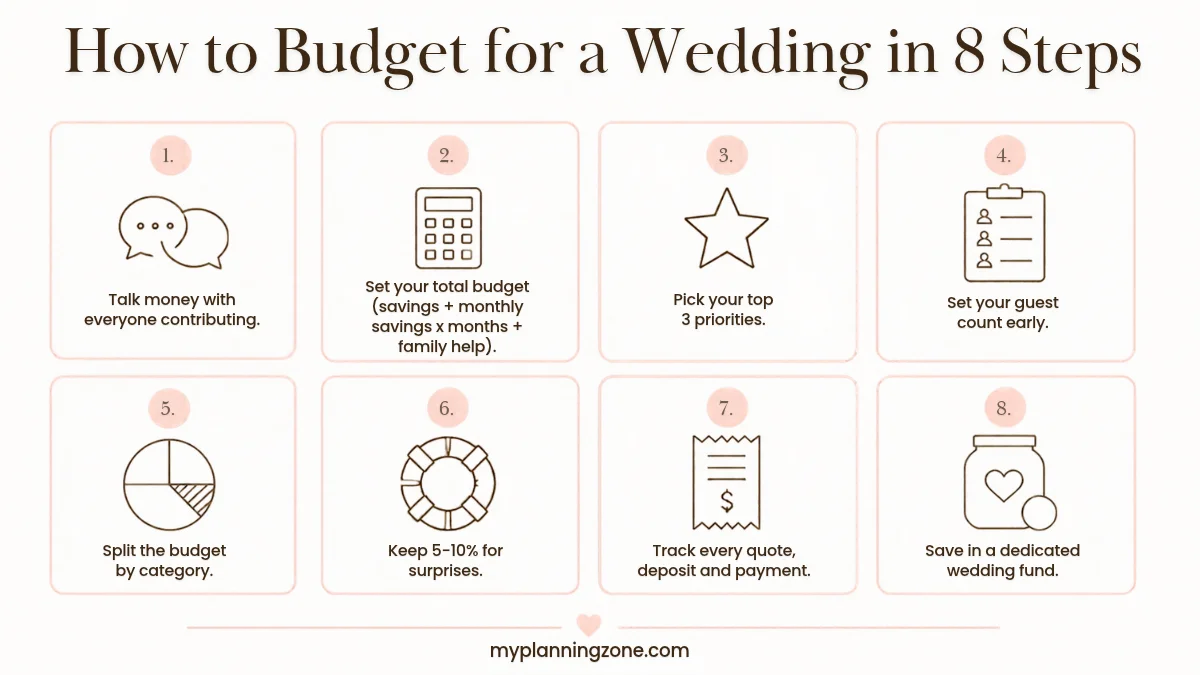
Step 1: Talk money with everyone who’s contributing
Before you look at a single venue, find out who is paying and how much. Most couples get some help: in Zola’s 2026 survey, 71% of couples said they receive some financial help, while 88% are putting in their own money too. Ask for real numbers, not “we’ll help out,” and ask whether the money comes with expectations, like inviting family friends.
Step 2: Set your total wedding budget
Your total is simply what you have plus what you can save plus what others give:
Current savings for the wedding + (monthly savings × months until the wedding) + family contributions = total budget
Example: you have $6,000 saved, can put aside $700 a month for 14 months ($9,800), and parents are giving $5,000. Your budget is $20,800, so planning around $20,000 leaves a small cushion. If the monthly amount feels tight, our guide on how to make a budget helps you find room without cutting essentials.
Try not to fund the wedding with debt. Starting married life paying off a credit card at 20%+ interest takes the shine off the day fast.
Step 3: Pick your top three priorities
You can’t splurge on everything, so decide together what matters most. Each of you lists your top three (food, photos, music, the dress, the venue, a big party). Where your lists overlap, spend more. Where neither of you cares much, go simple. This one conversation will settle dozens of decisions later.
Step 4: Set your guest count early
Guest count drives almost every cost: catering, drinks, chairs, tables, invitations, favors and even the size of venue you need. At roughly $292 per guest, cutting 20 people from the list can save around $5,800. Write a first draft of your guest list before you book anything.
Step 5: Split your budget by category
Give every dollar a job. Use the percentages in the breakdown below as a starting point, then move money toward your top three priorities. Write a number next to each category before you start collecting quotes.
Step 6: Keep 5 to 10% for surprises
Almost every wedding has costs nobody planned for: overtime fees, extra rentals, a last-minute alteration. Keeping a buffer of 5 to 10% means these don’t push you over budget or onto a credit card.
Step 7: Track every quote, deposit and payment
Wedding money leaves your account in pieces: a deposit here, a second payment there, a final balance two weeks before the day. Track three numbers for each vendor: the estimate, the actual cost and what you’ve paid so far, with due dates. A spreadsheet works best because it adds everything up for you. If you already track your expenses, use the same habit here.
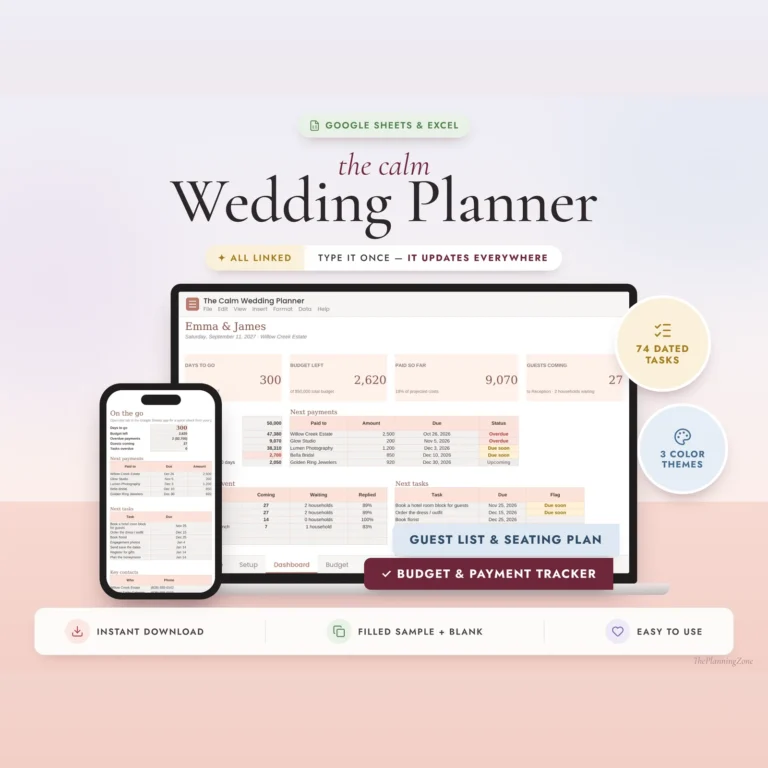
GOOGLE SHEETS & EXCEL TEMPLATE
Track your wedding budget without the math
The Calm Wedding Planner is a wedding budget spreadsheet that adds it all up for you: estimates vs. actuals by category, every deposit with its due date, and a dashboard showing what’s left. Plus guest list, RSVPs, seating and a 74-task checklist. $5, instant download.
Get the wedding plannerStep 8: Save in a dedicated wedding fund
Open a separate savings account for the wedding and set up an automatic transfer on payday. Keeping the money apart stops it from blending into everyday spending. It works exactly like a sinking fund: one goal, one due date, one monthly amount.
Wedding budget breakdown by category
Here’s a simple way to split your wedding budget, with amounts for three common budget sizes. These percentages are a starting guide based on typical vendor costs, not a rule. If photos are your top priority, take money from flowers or favors and give it to photography.
| Category | % of budget | $10,000 budget | $20,000 budget | $35,000 budget |
|---|---|---|---|---|
| Venue, catering & bar | 45% | $4,500 | $9,000 | $15,750 |
| Photography & video | 12% | $1,200 | $2,400 | $4,200 |
| Attire, hair & makeup | 8% | $800 | $1,600 | $2,800 |
| Flowers & decor | 8% | $800 | $1,600 | $2,800 |
| Music & entertainment | 6% | $600 | $1,200 | $2,100 |
| Planner or day-of coordinator | 5% | $500 | $1,000 | $1,750 |
| Wedding rings | 4% | $400 | $800 | $1,400 |
| Cake, favors & gifts | 3% | $300 | $600 | $1,050 |
| Invitations & stationery | 2% | $200 | $400 | $700 |
| Transportation | 2% | $200 | $400 | $700 |
| Buffer for surprises | 5% | $500 | $1,000 | $1,750 |
| Total | 100% | $10,000 | $20,000 | $35,000 |
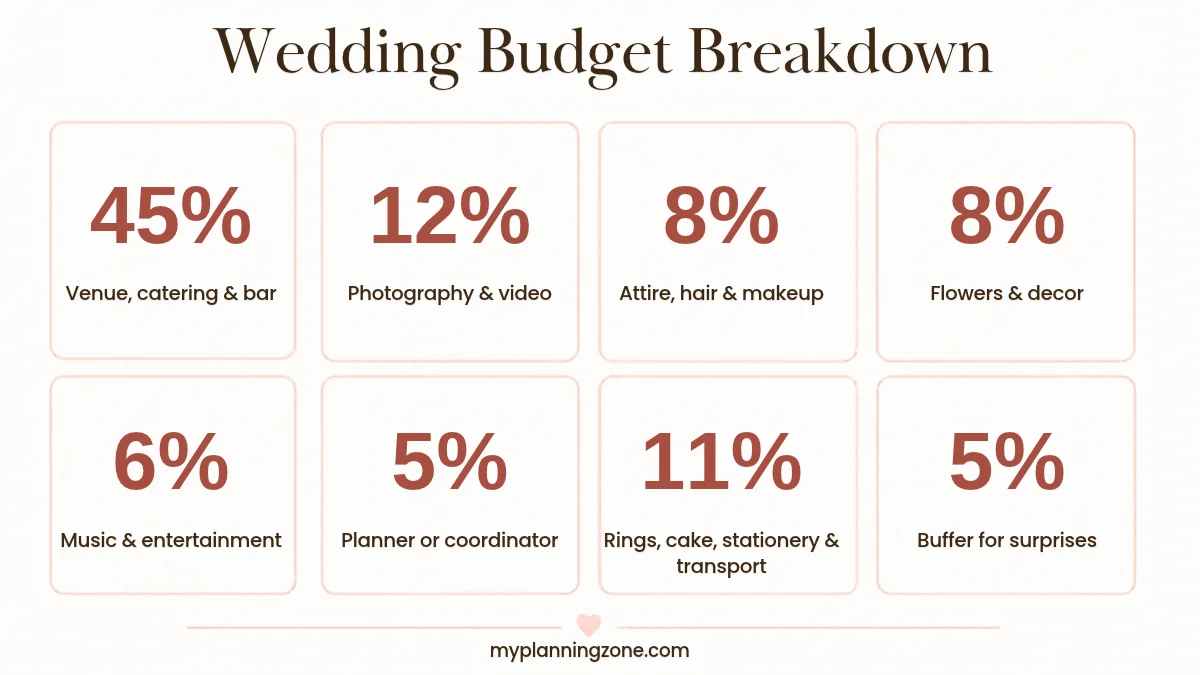
Venue, food and drinks usually take the biggest share, close to half the budget, because they’re multiplied by your guest count. That’s why the guest list is the single biggest lever you have.
Hidden wedding costs most couples forget
These are the costs that quietly push couples over budget. Add them to your plan from day one:
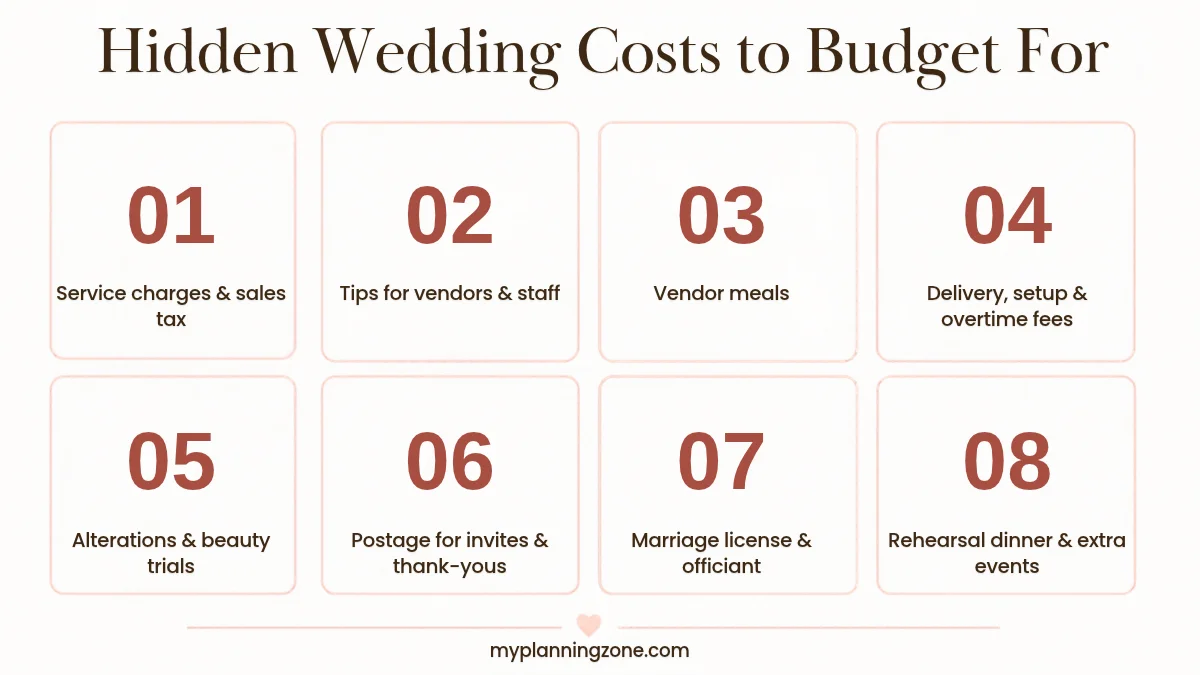
- Service charges and taxes: catering and venue quotes often add a service charge and sales tax on top of the price you were quoted. Always ask for the all-in total.
- Tips: for the catering staff, bartenders, hair and makeup artists, drivers and the DJ or band.
- Vendor meals: many photographers, planners and musicians expect a meal during a long day.
- Delivery, setup and overtime fees: for rentals, flowers and the venue if the party runs late.
- Dress alterations and hair and makeup trials.
- Postage for save-the-dates, invitations and thank-you cards.
- Marriage license and officiant fee.
- Events around the wedding: engagement party, rehearsal dinner, welcome drinks or a next-day brunch.
- Wedding insurance and any permits for outdoor locations.
How to save money on your wedding
- Trim the guest list first. It saves more than any other change.
- Pick an off-peak date. Fridays, Sundays and winter months often cost less than a Saturday in June or October.
- Choose an all-inclusive venue that covers tables, chairs, linens and catering, so you’re not paying for rentals separately.
- Limit the bar. Beer, wine and a signature cocktail cost far less than a full open bar.
- Use seasonal, local flowers and reuse ceremony arrangements at the reception.
- Book photography for the hours that matter, rather than a full-day package.
- Go digital for save-the-dates and use a wedding website for details.
- Ask about package deals when one vendor offers several services, like a DJ who also handles lighting.
Most of these tips come back to the same idea: cut what your guests won’t remember and protect your top three priorities. For more general saving ideas, see 10 proven ways to save money.
Frequently asked questions
How much should I budget for a wedding?
There’s no right number for everyone. Add up your wedding savings, what you can save each month until the date, and any family contributions, and that’s your budget. For reference, the average US wedding cost $34,200 in 2025 according to The Knot, but many couples spend far less.
What is a realistic wedding budget for 100 guests?
At The Knot’s 2025 average of about $292 per guest, 100 guests would cost around $29,000. You can bring that down a lot with an off-peak date, an all-inclusive venue, a limited bar and a buffet or family-style meal.
What should be paid for first in a wedding?
The venue usually comes first, because it sets your date, your guest capacity and often your catering. After that, book the vendors who get booked up early, like the photographer, caterer and band or DJ.
What percentage of the wedding budget goes to the venue?
Venue, catering and drinks together usually take around 40 to 50% of the total budget, because they grow with your guest count. In The Knot’s 2026 study, the reception venue alone averaged $12,900.
How do I keep track of my wedding budget?
Use a wedding budget spreadsheet with an estimated cost, actual cost, amount paid and due date for each vendor. Update it every time you sign a contract or make a payment, so you always know what’s left to spend.
Who traditionally pays for the wedding?
Traditionally the bride’s family paid for most of the wedding, but today most couples pay for at least part of it themselves. In Zola’s 2026 survey, 88% of couples contribute financially and 71% receive some help from family.
Start your wedding budget today
Budgeting for a wedding comes down to three moves: set a total you can afford, decide what matters most, and track every dollar until the big day. Do those and you’ll walk down the aisle without a pile of bills waiting at home.
Your next step: sit down with your partner this week, agree on your total and your top three priorities, and write a number next to each category in the table above. If you’re also planning other parts of the day, our event planning guide walks you through timelines and vendors.
READY-MADE WEDDING BUDGET SPREADSHEET
Skip the setup and start planning tonight
Set your total and currency once, and the budget, payment tracker and dashboard update by themselves. Works in Google Sheets (free) and Excel, with a filled sample to show you how it works.
See what’s inside