
A new planner feels exciting on January 1, but many end up half-empty by March. Usually the problem isn’t the planner. It’s that nobody showed you a simple way to set it up and a routine for using it every week.
This guide shows you how to use a planner in 2027, step by step: a 9-step setup you can finish in one afternoon, the dates to add first, a simple color code, daily and weekly routines, and planner ideas for every area of life. It works for paper planners, printables and digital planners alike.
In this guide
Choose the right planner layout first
The best planner is the one that matches how much you need to plan each day. Here’s a quick way to choose:
| Layout | Best for | Why it helps |
|---|---|---|
| Daily | Busy days with many appointments and tasks | Lots of writing space per day |
| Weekly | Most people: work, family and personal plans | See the whole week at once |
| Monthly | Simple schedules or a big-picture overview | Spot busy weeks and deadlines early |
| Undated / printable | Flexible routines and custom layouts | Start any day, print only what you need |
Not sure? Start with a weekly layout. It’s flexible enough for most people, and you can add daily pages or trackers later.
How to set up your planner for 2027 in 9 steps
Block two hours, gather your pens, your phone calendar and any school or work schedules, then work through these steps in order.
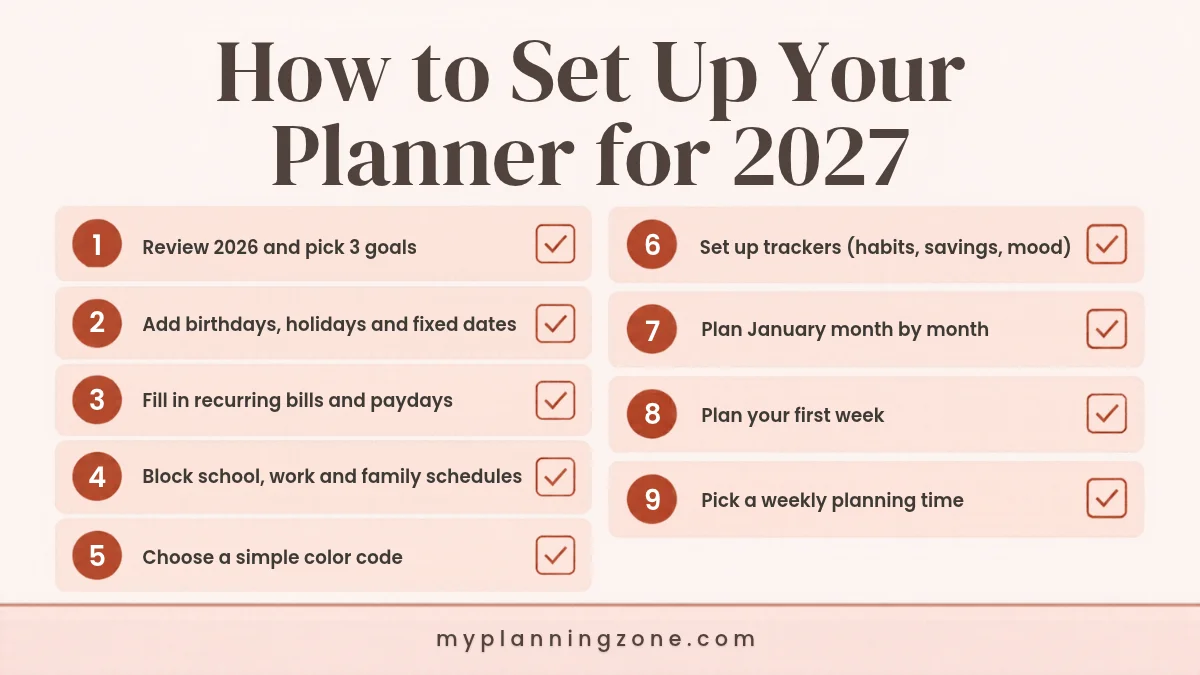
1. Review 2026 and pick 3 goals
Before you write any dates, look back at the year. What worked? What drained you? Then choose no more than three goals for 2027 and write them on the first page. Our end of year review questions and guide to setting New Year goals you’ll actually keep walk you through both.
2. Add birthdays, holidays and fixed dates
Fill in everything that won’t move: birthdays, anniversaries, public holidays, school breaks, trips and appointments you already know about. Doing this first stops you from planning a busy week on top of a family event. (The 2027 holiday dates are listed below.)
3. Fill in recurring bills and paydays
Write every payday and every bill due date in your monthly pages: rent or mortgage, utilities, subscriptions, insurance and loan payments. Seeing money dates next to your plans makes budgeting far easier. For help working out where your money goes, see our guide on how to track your expenses.
4. Block school, work and family schedules
Add regular commitments: work hours or shifts, school times, kids’ activities, gym classes and standing meetings. These are the “big rocks” everything else has to fit around.
5. Choose a simple color code
Pick 4 to 6 colors, one for each area of life, and write the key on the inside cover. Keep the same pens or highlighters all year so the system stays consistent (see the color key below).
6. Set up your trackers
Trackers turn goals into something you can see. Add only the ones you’ll actually use: a habit tracker, a savings tracker, a mood or sleep tracker, or a reading log. Our Yearly Trackers Bundle includes annual goals, habit, mood, sleep and fitness trackers on printable pages.
7. Plan January month by month
On your January monthly spread, add deadlines, events and one or two small actions for each goal. Don’t plan every month in detail yet; plans change. Fill in each month at the end of the month before.
8. Plan your first week
Write your top three priorities for the week, then assign tasks to specific days. Leave some space empty for surprises. If you like structure, try giving your most important task a fixed time slot (see our guide to time blocking).
9. Pick a weekly planning time
This is the step that decides whether you keep using your planner. Choose one fixed time, such as Sunday evening, for a 15-minute weekly planning session, and write it in your planner as a recurring appointment.
2027 dates to add to your planner
Here are the main public holidays for the United States and the United Kingdom (England and Wales). Add the ones that apply to you during step 2.
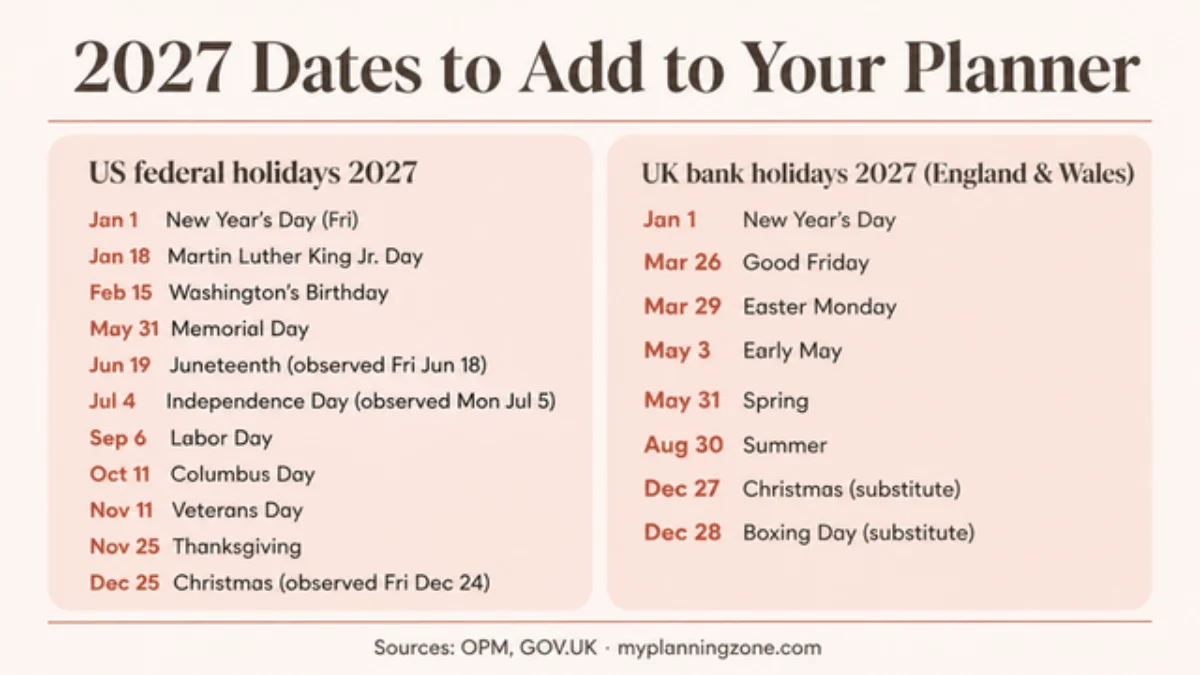
US federal holidays 2027 (from the U.S. Office of Personnel Management): New Year’s Day (Friday, January 1), Martin Luther King Jr. Day (January 18), Washington’s Birthday (February 15), Memorial Day (May 31), Juneteenth (Saturday, June 19, observed Friday, June 18), Independence Day (Sunday, July 4, observed Monday, July 5), Labor Day (September 6), Columbus Day (October 11), Veterans Day (November 11), Thanksgiving (November 25) and Christmas Day (Saturday, December 25, observed Friday, December 24).
UK bank holidays 2027, England and Wales (from GOV.UK): New Year’s Day (January 1), Good Friday (March 26), Easter Monday (March 29), early May bank holiday (May 3), spring bank holiday (May 31), summer bank holiday (August 30), and substitute days for Christmas Day (December 27) and Boxing Day (December 28). Scotland and Northern Ireland have a few extra dates, so check GOV.UK if you live there.
A simple planner color code
Color coding lets you see at a glance what kind of week you have ahead. Here’s an easy starting key:
- Work: meetings, deadlines, shifts
- Family: school events, kids’ activities, appointments
- Money: paydays, bills, savings transfers
- Health: workouts, doctor visits, meal prep
- Home: cleaning, errands, maintenance
- Me time: hobbies, rest, friends
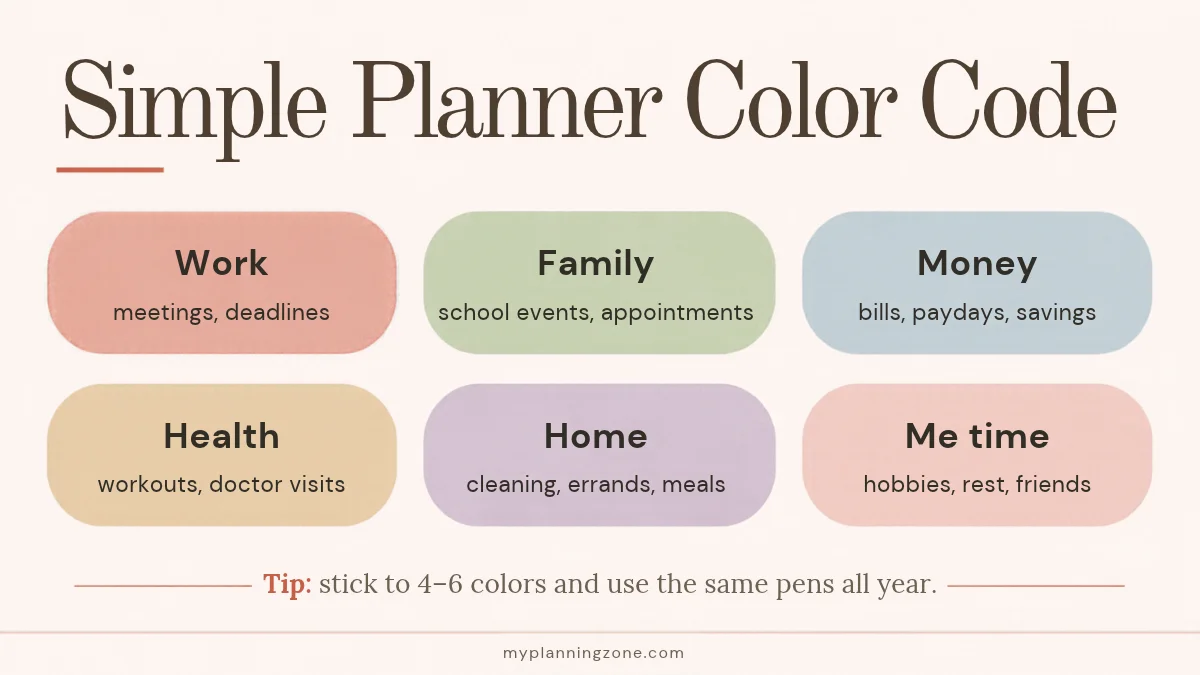
Keep it to six colors or fewer. More than that and you’ll spend more time choosing pens than planning.
How to use your planner every day and every week
Setup is only the start. A planner works when you open it at the same times every day and every week.
The 5-minute daily check-in
- Look at today’s appointments and deadlines.
- Choose your top three tasks for the day.
- Move any unfinished tasks from yesterday to a new day (or cross them off if they no longer matter).
- Tick off your habits in the evening.
The 15-minute weekly planning session
- Review last week: what got done, what didn’t and why.
- Check next week’s appointments, bills and paydays.
- Pick three priorities for the week.
- Spread tasks across the days, leaving some white space.
- Plan meals and any errands.
For a complete routine, see our guides on how to plan your week and how to plan your month.
Planner ideas for every area of life
Once the basics are set, add the pages that solve your biggest daily headaches:
- Goals: a yearly goal page with monthly milestones and a progress check each month. Our Printable Goal Planner includes SMART goal worksheets and reflection pages.
- Money: a monthly budget, a bill tracker and a savings challenge for 2027.
- Home: a weekly cleaning schedule and a family chore chart.
- Meals: a weekly meal plan with a grocery list on the same page.
- Health: a water, sleep or workout tracker.
- Ideas and notes: a brain dump page for everything you don’t want to forget.
- Reading and learning: a books-to-read list and a monthly reading log.
Common planner mistakes to avoid
- Planning every minute. Overfilled pages lead to guilt and quitting. Leave white space.
- Using too many systems. Pick one main planner. Use your phone only for reminders.
- Decorating instead of planning. Pretty spreads are fine, but they shouldn’t take longer than the planning itself.
- Giving up after missed weeks. Just start again on the next blank page. No need to fill in the gaps.
- Not reviewing. Without a weekly review, a planner becomes a diary of things you meant to do.
Frequently asked questions
How do I start using a planner for the first time?
Start small. Add your fixed dates (birthdays, holidays, bills and appointments), then spend five minutes each morning choosing your top three tasks and 15 minutes each week planning ahead. Add trackers and extra pages only once the daily and weekly habit sticks.
What should I write in my planner?
Write anything with a date or a deadline: appointments, bills, paydays, birthdays, school events and work deadlines. Then add your weekly priorities, daily top three tasks, and any trackers for habits, savings or goals you want to follow.
How do I stick to using a planner?
Keep it visible and use it at fixed times: a 5-minute daily check-in and a 15-minute weekly planning session. Keep your setup simple, leave white space for surprises and, if you miss a week, just restart on the next blank page.
Is a digital or paper planner better?
Neither is better for everyone. Paper planners help you focus and remember what you write, while digital planners are easy to edit and carry everywhere. Many people use a paper or printable planner for planning and their phone only for reminders.
When should I set up my planner for the new year?
Late November or December is ideal. Setting it up before January 1 gives you time to review the year, add fixed dates and plan your first week calmly instead of rushing on New Year’s Day.
Start setting up your 2027 planner this week
You don’t need to finish everything in one sitting. This week, complete steps 1 to 3: review your year, add fixed dates and fill in paydays and bills. Next week, add your color code, trackers and January plan. By New Year’s Day, your planner will be ready to use.